 how-to
Children's Eye Strain from Tablets: Symptoms to Know
Table of Contents
- How Tablets Cause Eye Strain in Children
- Common Symptoms of Children's Eye Strain from Tablets
- The 20-20-20 Rule for Kids: A Simple Screen Break Habit
- Screen Time Limits for Children and Tablet Ergonomics
- Pediatric Eye Exam Frequency: When to Book a Visit
- When Eye Strain Symptoms Need a Professional Evaluation
- Frequently Asked Questions
Last Updated: September 25, 2026
How Tablets Cause Eye Strain in Children
Children's eye strain from tablets symptoms start with how hard young eyes work to hold a close-up image in focus. Tablets sit inches from the face, so the eyes stay locked in near vision for long stretches. That constant effort tires the focusing muscles and dries the eye surface. (Source: American Academy of Ophthalmology's recommendations)
A child's eyes are still developing, which makes them more sensitive to long screen sessions than adult eyes.
Here is what most guides get wrong: they blame blue light alone.
Why Kids' Eyes React Differently Than Adults'
A child's visual system is not a smaller version of an adult's. The lens inside a young eye is more flexible, and the eye itself is still growing. That growth window is why pediatric vision deserves close attention.
- Kids rarely notice when their vision blurs, so they push through
- They hold screens closer than adults do
- They take fewer breaks because a game or video holds their attention
- Their blink rate drops during screen use, which dries the ocular surface
Common Symptoms of Children's Eye Strain from Tablets
The most common symptoms of children's eye strain from tablets are headaches, blurred vision, dry eyes, and frequent squinting. Parents also report eye rubbing, tearing, and complaints that reading feels hard.
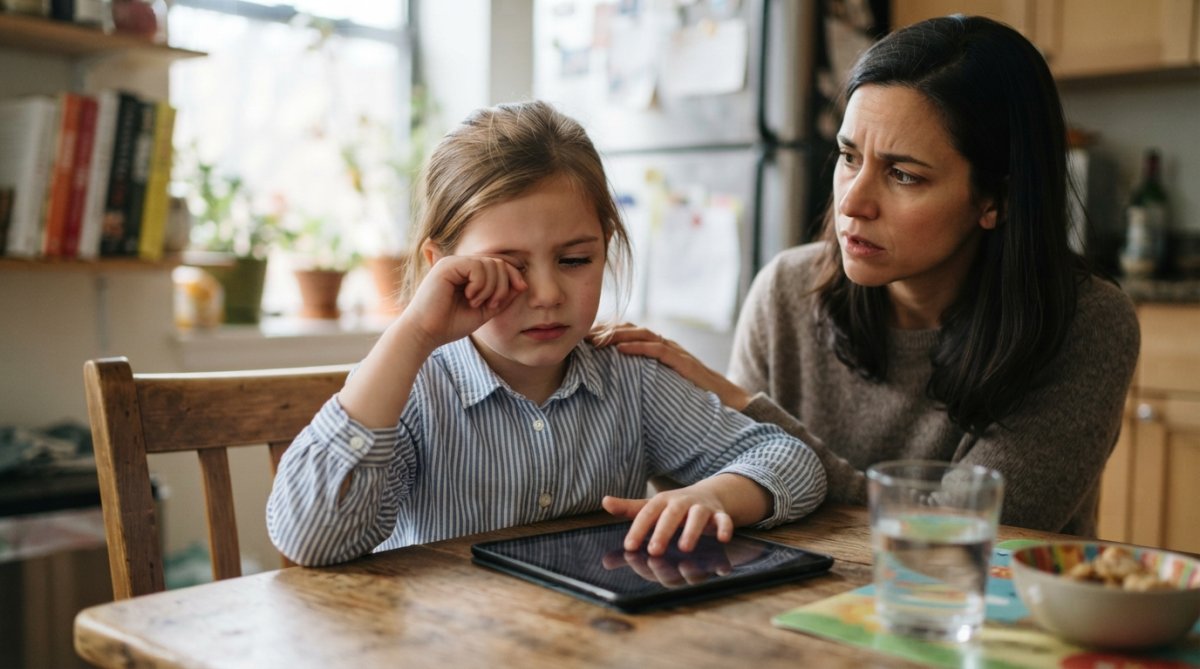
Watch for these signs during or after screen time:
- Headaches behind the eyes or across the forehead
- Blurred vision that clears after looking away
- Dry eyes and frequent rubbing
- Squinting or tilting the head
- Double vision in rare, more serious cases
- Focal fatigue that makes homework drag
Symptoms by Age: Preschoolers, Grade Schoolers, and Teens
Age changes how strain shows up, and this is the part most articles skip. A toddler cannot say "my eyes ache," so the signs live in behavior. A teen can describe the problem but often chooses not to. Matching the symptom to the developmental stage is what lets a parent catch strain early.
-
Rubbing eyes during or right after tablet time
-
Holding the screen unusually close, sometimes within a few inches
-
Losing interest in picture books or puzzles faster than expected
-
One eye turning in or out when tired
-
Squinting or closing one eye to watch
-
Saying "my eyes hurt" or "the words are blurry" after reading
-
Headaches that build through the afternoon
-
Losing their place while reading or skipping lines
-
Avoiding homework that involves close reading
-
Complaints of dry eyes or a gritty feeling
-
Late-night tablet or phone use with the screen close to the face
-
Dry eyes and frequent rubbing, especially in the evening
-
Trouble focusing in class after a long screen session
-
Headaches they attribute to stress or lack of sleep
-
Pulling the screen closer over time
Behavioral Red Flags Parents Often Miss
Track these patterns over a week or two:
- Avoiding close work like reading or drawing
- Holding the tablet closer over time
- Covering one eye to see clearly
- Tilting the head or turning the page to one side
- Complaining of headaches after screen sessions
- Blinking hard or rubbing eyes when asked to read aloud
- Irritability or meltdowns that spike during homework
A simple test at home: ask your child to read a paragraph, then watch whether they lean in, tilt their head, or rub their eyes. If the same behavior shows up every time, that is a pattern worth an exam, not a one-off.
The 20-20-20 Rule for Kids: A Simple Screen Break Habit
The 20-20-20 rule for kids means every 20 minutes, look at something 20 feet away for 20 seconds. It gives the focusing muscles a rest and lets the eyes reset.
- Every 20 minutes: pause the screen
- Look 20 feet away: out a window works well
- Hold it for 20 seconds: about the length of a slow count
Screen Time Limits for Children and Tablet Ergonomics
Screen time limits for children work best when paired with good setup. The American Academy of Pediatrics offers family media plans that set consistent limits by age, and the AAP family media plan guidance is a solid starting point.
Tablet Distance, Tilt, and Lighting: The Specifics
Generic advice says "hold it farther away." Here is what that actually means for a tablet.
- Distance: aim for roughly 18 to 24 inches from the eyes, about arm's length for a child. If the screen looks small at that distance, the child will pull it closer, so increase the font size instead of letting the tablet creep in.
- Tilt: angle the screen back about 10 to 20 degrees, so the child looks slightly downward. A flat tablet on a table forces the neck to bend forward; a slight tilt keeps the neck neutral.
- Height: raise the tablet so the top of the screen sits near or just below eye level. A stand does this better than a stack of books because it holds the angle steady.
- Lighting: match ambient lighting to the screen brightness. A bright screen in a dark room forces the pupil to work against the glare; a dim screen in a bright room makes the child squint. Neither extreme is comfortable.
- Glare: position the tablet so windows and lamps are not reflected on the glass. A matte screen protector can cut reflections when you cannot move the device.
- Blink reminders: kids blink less when they focus, so a few slow blinks every few minutes re-wet the ocular surface and ease dry eyes.
Screen Time Limits by Age
The AAP family media plan guidance is the usual reference point. A common pattern practitioners describe:
- Under 18 months: avoid screen media other than video chatting
- 18 to 24 months: if screens are introduced, choose high-quality content and watch together
- Ages 2 to 5: limit to about one hour per day of high-quality content, co-viewed when possible
- Ages 6 and up: set consistent limits that protect sleep, physical activity, and schoolwork
| Fix | What It Helps | How Often |
|---|---|---|
| 20-20-20 breaks | Focal fatigue, eye fatigue | Every 20 minutes |
| 18-24 inch distance | Accommodation strain | Every session |
| 10-20 degree tilt | Neck and posture strain | Every session |
| Eye-level stand | Neck and posture strain | Every session |
| Slow blinks | Dry eyes | During screen use |
| Glare control | Squinting, headaches | Every session |
Pediatric Eye Exam Frequency: When to Book a Visit
Pediatric eye exam frequency depends on age and risk. A common approach is a first exam around age 3, then before starting school, then every one to two years unless a doctor advises otherwise.
When Eye Strain Symptoms Need a Professional Evaluation
Book a professional exam when symptoms are frequent, getting worse, or affecting school. A single rough day after a long movie is normal. Daily headaches, constant blurred vision, or a drifting eye are not.
See an eye care professional if your child has:
- Symptoms most days for two weeks or more
- Headaches that show up with screen use
- Blurred vision that does not clear
- Double vision or a drifting eye
- Trouble keeping up in class
Frequently Asked Questions
What are the most common symptoms of children's eye strain from tablets?
The most frequent signs include headaches, especially after reading or screen time, blurred vision, dry or watery eyes, and frequent squinting. Children may also rub their eyes, tilt their head, or complain that words look fuzzy. Some kids develop double vision or lose their place while reading. Because children often can't describe what they're feeling, parents should watch for behavioral cues like avoiding homework, short attention spans during near work, or holding a tablet unusually close to their face.
How does the 20-20-20 rule for kids help reduce eye strain?
The 20-20-20 rule asks kids to look at something 20 feet away for 20 seconds every 20 minutes of screen time. This brief pause lets the ciliary muscle, which controls focusing, relax after prolonged near work. Set a timer or use a screen-break app to make it a habit. Pair the break with blinking deliberately, since blink rate drops during screen use and contributes to dry eyes. Even short, regular breaks can reduce headaches and blurred vision over time.
How often should my child have a pediatric eye exam if they use a tablet daily?
The American Optometric Association recommends a comprehensive eye exam at 6 months, age 3, and before first grade, then every two years for school-age children. If your child uses a tablet daily and shows symptoms like headaches, squinting, or blurred vision, schedule an exam sooner rather than waiting. Annual exams are reasonable for kids with a family history of myopia or those already wearing glasses. School screenings miss many vision problems, so a full exam with a doctor is the reliable check.
Does blue light from tablets cause permanent eye damage in children?
Current evidence does not show that blue light from tablets causes permanent retinal damage in children at typical screen-use levels. What it can do is contribute to eye fatigue, disrupt sleep when used close to bedtime, and worsen dry eyes because kids blink less. The bigger concern with heavy tablet use is the link between prolonged near work and rising myopia rates in children. Reducing screen time, using the 20-20-20 rule, and scheduling regular eye exams matter more than blue-light glasses.