 ultimate_guide
Chronic Dry Eyes & Digital Strain: Complete Guide
Table of Contents
- Understanding Chronic Dry Eyes and Digital Strain
- Computer Vision Syndrome and Dry Eyes: The Connection
- Recognizing Symptoms of Chronic Dry Eyes From Digital Use
- Why Digital Devices Trigger Chronic Dry Eyes and Strain
- The 20-20-20 Rule for Eye Strain and Dry Eye Relief
- Dry Eye Treatment for Screen Users: Evidence-Based Solutions
- When to See an Eye Doctor for Chronic Dry Eyes
- Conclusion: Managing Chronic Dry Eyes in a Digital World
Last Updated: July 20, 2026
Understanding Chronic Dry Eyes and Digital Strain
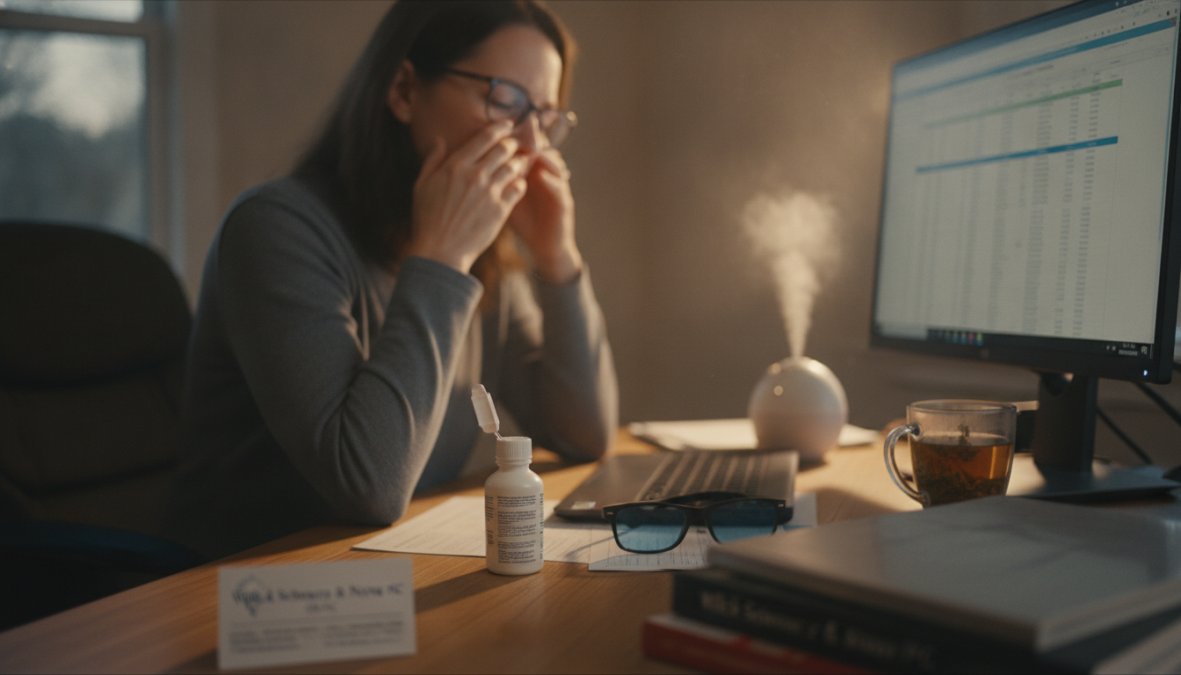
If you spend more than six hours daily staring at screens, your eyes are likely experiencing chronic dry eyes digital strain. This condition has become increasingly common as remote work dominates modern life. At Wilck Schwartz & Novak OD PC, we've observed a dramatic rise in patients reporting dry, irritated eyes linked directly to screen time.
Chronic dry eyes digital strain results from multiple factors: reduced blinking, prolonged near-focus work, blue light exposure, and indoor environmental conditions. Understanding this relationship is crucial because untreated dry eye syndrome can progress from temporary discomfort to chronic ocular surface disease affecting your quality of life and work productivity.
What Is Computer Vision Syndrome?
Computer Vision Syndrome is a temporary condition characterized by eye discomfort and vision problems during or after prolonged screen use. Unlike dry eye disease, which is a persistent clinical condition, Computer Vision Syndrome develops specifically from the demands of digital work.
The syndrome encompasses eye strain, blurred vision, dry eyes, headaches, and neck pain. These symptoms typically resolve after rest but can become chronic if screen exposure continues without intervention. The American Academy of Ophthalmology recognizes this as a legitimate occupational concern affecting millions of workers worldwide.
How Screen Time Affects Your Tear Film
Your tear film is a three-layer protective coating that keeps your cornea healthy and vision clear. When you focus on a screen, your blink rate drops by approximately 66 percent compared to normal reading. This reduced blinking means less tear film distribution across your ocular surface.
Screen work also increases tear evaporation. The brightness and proximity of digital devices cause your eyes to work harder, generating heat that accelerates evaporation of the tear film's lipid layer. Combined with reduced blinking, this creates a perfect storm for tear film instability.
Computer Vision Syndrome and Dry Eyes: The Connection
The relationship between Computer Vision Syndrome and chronic dry eyes is bidirectional. Dry eye symptoms worsen during screen use, and screen use accelerates dry eye progression. Research from the American Academy of Ophthalmology demonstrates that 59 percent of digital workers experience symptoms consistent with dry eye disease.
The Role of Reduced Blink Rate During Screen Use
When you concentrate on screen content, your brain prioritizes visual input over automatic blinking. Your blink rate can drop from the normal 15-20 blinks per minute to as few as 3-8 blinks per minute during focused screen work. Each missed blink represents a 15-20 second gap in tear film renewal.
This phenomenon occurs because blinking is partially voluntary. When your attention is captured, your blinking becomes suppressed. The solution isn't forcing yourself to blink more; instead, structured breaks using the 20-20-20 rule interrupt the focused attention cycle and allow natural blinking to resume.
Meibomian Gland Dysfunction and Digital Strain
Your meibomian glands line the eyelid margins and secrete lipids that stabilize your tear film. Prolonged screen work, with its associated reduced blinking and limited eye movement, can lead to meibomian gland dysfunction.
When meibomian glands become dysfunctional, the lipid layer of your tear film depletes, accelerating tear evaporation and causing the characteristic gritty, burning sensation associated with chronic dry eyes. Unlike aqueous tear deficiency, meibomian gland dysfunction is often reversible through behavioral intervention and proper eyelid hygiene.
Recognizing Symptoms of Chronic Dry Eyes From Digital Use
Symptoms of chronic dry eyes typically develop gradually. Early warning signs often appear subtle enough that people attribute them to fatigue rather than an ocular surface problem.
Early Warning Signs and Progressive Symptoms
The earliest symptom is usually mild grittiness or slight discomfort mid-afternoon after several hours of screen work. This progresses to persistent redness, particularly in the inner corner of the eye.
Progressive symptoms include blurred vision that fluctuates throughout the day, difficulty focusing on text, photophobia (light sensitivity), headaches that worsen as the day progresses, excessive tearing, burning sensation, and difficulty wearing contact lenses for full workdays. The progression from early warning signs to chronic dry eye disease typically occurs over 3-6 months if left unaddressed.
Why Digital Devices Trigger Chronic Dry Eyes and Strain
Multiple mechanisms combine to create the perfect environment for chronic dry eyes digital strain.
Blue Light and Screen Glare Effects
Digital screens emit blue light (high-energy visible light) that has a shorter wavelength than other visible light, causing it to scatter more easily. This scattering creates glare that forces your eye muscles to work harder to maintain focus.
The accommodative stress from blue light exposure causes ciliary muscle fatigue. Your ciliary muscles control lens shape for focusing, and sustained contraction without rest leads to accommodative spasm, creating blurred vision and eye strain. Screen glare also reduces contrast, forcing your eyes to increase pupil accommodation to compensate.
Prolonged Focusing and Accommodative Stress
When you focus on a screen, your accommodation system locks into a specific focal distance. Unlike natural environments where your eyes constantly shift focus between near and far objects, screen work maintains static accommodation for extended periods.
This sustained near-focus creates accommodative stress that manifests as visual fatigue and eye strain. Prolonged accommodation also suppresses tear production, as your parasympathetic nervous system becomes fatigued by sustained near-work.
The 20-20-20 Rule for Eye Strain and Dry Eye Relief
The 20-20-20 rule is the single most evidence-based intervention for preventing chronic dry eyes digital strain.
How to Implement the 20-20-20 Rule Effectively
Every 20 minutes of screen work, take a 20-second break and look at something 20 feet away. This breaks the accommodation cycle and allows your eyes to relax into their resting focal distance.
During your 20-second break: deliberately blink 10-15 times slowly, look out a window or across a large room, allow your eyes to move naturally, and stand up and stretch if possible. Setting a timer on your phone or using screen break reminder software makes implementation automatic. Most people find that after one week of consistent 20-20-20 breaks, their afternoon eye fatigue decreases noticeably.
Other Break-Based Prevention Strategies
The 50-10 rule offers an alternative: work for 50 minutes, then take a 10-minute break away from all screens. The Pomodoro Technique (25 minutes of focused work followed by a five-minute break) aligns perfectly with eye health needs. Environmental breaks prove equally valuable, working outside for even 15 minutes daily has been shown to reduce eye strain symptoms.
Dry Eye Treatment for Screen Users: Evidence-Based Solutions
Effective treatment for chronic dry eyes requires a multi-pronged approach addressing tear film stability, environmental factors, and behavioral patterns.
Artificial Tears and Lubricating Eye Drops
Artificial tears provide immediate symptomatic relief. Aqueous-based artificial tears work best for people with reduced tear production. Lipid-based artificial tears (containing oils) address evaporative dry eye caused by meibomian gland dysfunction, particularly effective for chronic dry eyes since screen work specifically impairs lipid layer function.
Hypoallergenic, preservative-free formulations minimize irritation from repeated application. The most effective approach combines artificial tears with environmental and behavioral modifications.
Ergonomic Workspace Setup to Reduce Digital Strain
Your physical workspace setup directly influences tear film stability and accommodation stress.
Monitor positioning is critical. Your screen should sit 20-26 inches from your eyes and positioned 15-20 degrees below eye level. This downward gaze angle reduces eyelid opening, which decreases tear film evaporation by 66 percent compared to straight-ahead viewing.
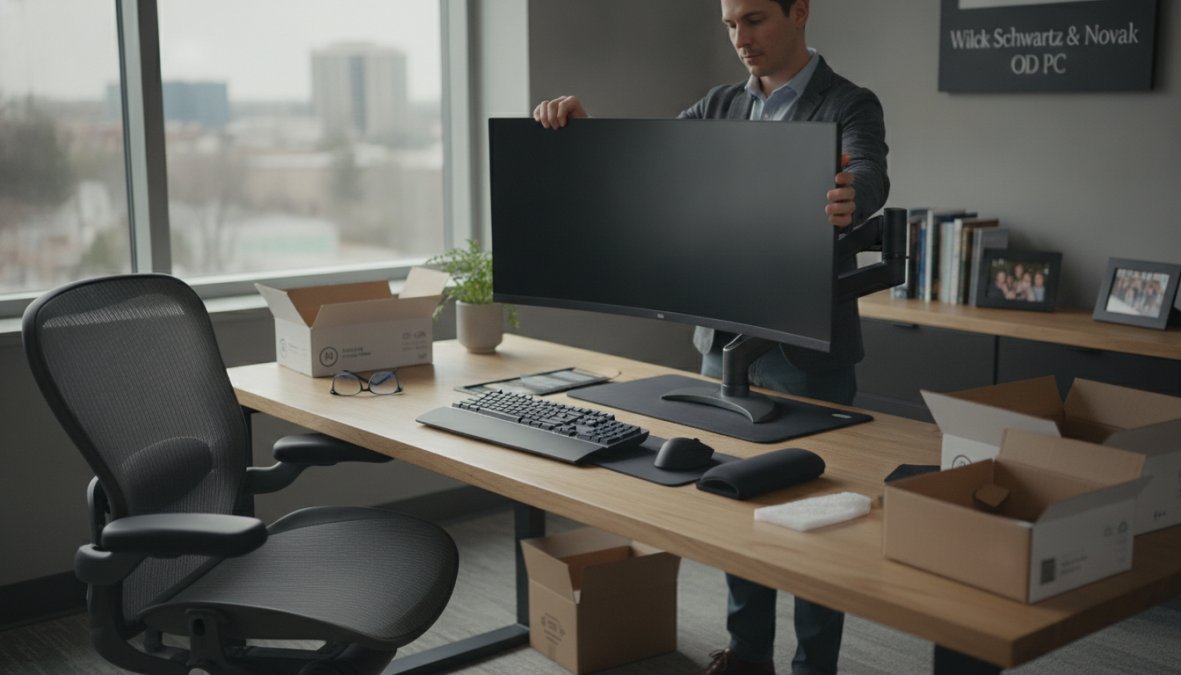
Lighting prevents glare-induced accommodation stress. Position your monitor perpendicular to windows to eliminate screen glare. Use indirect ambient lighting rather than bright overhead lights.
Humidity control addresses the environmental component of dry eye. Indoor heating and air conditioning reduce ambient humidity to 20-30 percent, accelerating tear evaporation. Increasing humidity to 40-50 percent through humidifiers noticeably improves symptoms.
Chair and desk height coordination ensures proper posture. Your feet should rest flat on the floor, your elbows should bend at 90 degrees, and your shoulders should remain relaxed.
Dietary and Hydration Protocols for Ocular Health
Tear film composition depends heavily on nutritional status. Omega-3 fatty acids are essential for meibomian gland function and comprise the lipid layer of your tear film. Dietary sources include fatty fish, flaxseed, chia seeds, and walnuts. Studies indicate that people consuming adequate omega-3s experience 30-40 percent fewer dry eye symptoms.
Hydration status influences tear production. Most people working at screens forget to drink water, creating a preventable exacerbation. Drinking 8-10 glasses of water daily maintains tear production.
Vitamin A supports corneal health and tear film stability. Lutein and zeaxanthin, found in leafy greens and egg yolks, reduce blue light-induced oxidative stress in the retina.
Software-Based Interventions and Screen Adjustments
Blue light filter software reduces the scattering effect of high-energy visible light. Applications like f.lux adjust your screen's color temperature based on time of day, reducing blue light emission during evening hours.
Screen break reminder software enforces the 20-20-20 rule automatically. Tools like Stretchly or Time Out send notifications on your schedule.
Text size and contrast adjustments reduce accommodation stress. Increasing font size by 25-50 percent decreases the accommodation demand your eyes must meet. Reducing screen brightness to 40-60 percent of maximum while maintaining readability decreases eye strain significantly.
Contact Lenses vs. Glasses for Digital Device Users
Contact lens wearers experience more severe chronic dry eyes digital strain than glasses wearers. Contact lenses sit directly on the cornea, blocking oxygen diffusion and disrupting tear film stability.
For people experiencing chronic dry eyes, switching to glasses during screen-heavy workdays provides immediate relief. If you prefer contact lenses, daily disposable lenses minimize deposit accumulation. Specialty contact lenses designed for dry eye (scleral lenses, which vault over the cornea and create a liquid reservoir) offer an alternative for severe cases.
When to See an Eye Doctor for Chronic Dry Eyes
Professional evaluation becomes necessary when home interventions fail to control symptoms or when symptoms interfere with work performance.
Risk Factors That Warrant Professional Evaluation
Age over 50 correlates with reduced tear production and increased dry eye severity. Hormonal changes, particularly in postmenopausal women, reduce tear film stability.
Autoimmune conditions like Sjögren's syndrome, rheumatoid arthritis, and lupus cause systemic dry eye that worsens with screen use. Medications including antihistamines, decongestants, antidepressants, and blood pressure medications reduce tear production as a side effect. Contact lens intolerance that develops despite previously successful wear suggests underlying dry eye disease requiring professional management.
What to Expect During a Comprehensive Eye Exam
A comprehensive eye exam for chronic dry eyes includes several specialized tests beyond standard vision assessment.
Tear film evaluation using the Schirmer test measures tear production. A small paper strip placed under your lower eyelid for five minutes quantifies tear secretion. Normal production exceeds 15 millimeters of wetting; values below 5 millimeters indicate significant aqueous deficiency.
Tear osmolarity testing measures salt concentration in your tears. Hyperosmolarity indicates tear film instability and predicts dry eye severity more accurately than tear volume alone.
Meibomian gland assessment evaluates lipid layer function. Your eye care provider examines gland structure and expressibility, determining whether dysfunction is reversible through gland expression and lid hygiene or requires pharmaceutical intervention.
At Wilck Schwartz & Novak OD PC, our advanced optometric equipment enables precise tear film analysis and early detection of ocular surface disease. Early intervention prevents progression to corneal damage and vision loss.
Chronic dry eyes digital strain has become an epidemic among screen-dependent workers, but it's preventable and treatable with proper intervention. The combination of ergonomic adjustments, behavioral modifications like the 20-20-20 rule, dietary optimization, and professional eye care addresses both immediate symptoms and underlying causes.
If you're experiencing persistent dry eye symptoms that interfere with your work or quality of life, professional evaluation is essential. Wilck Schwartz & Novak OD PC provides comprehensive dry eye assessment using advanced optometric equipment, precise tear film analysis, and personalized treatment plans. Schedule an appointment today to determine whether your symptoms represent simple digital strain or chronic dry eye disease requiring specialized treatment.
| Prevention Strategy | Implementation Time | Frequency | Expected Improvement Timeline |
|---|---|---|---|
| 20-20-20 Rule | 20 seconds | Every 20 minutes | 3-7 days |
| Ergonomic Setup | 30-60 minutes | One-time adjustment | 1-2 weeks |
| Artificial Tears | 30 seconds | 3-6 times daily | Immediate (temporary) |
| Omega-3 Supplementation | 1 minute | Daily | 4-6 weeks |
| Monitor Height Adjustment | 5 minutes | One-time | 2-3 days |
| Humidity Control | Variable | Continuous | 1-2 weeks |
| Blue Light Filter | 5 minutes setup | Continuous use | 3-5 days |
| Professional Eye Exam | 60 minutes | Annual | Diagnostic baseline |
Frequently Asked Questions
Can digital eye strain cause chronic dry eyes?
Yes. Prolonged screen use reduces your blink rate by up to 66%, allowing your tear film to evaporate faster. This creates tear film instability and can develop into chronic dry eye disease over time. The combination of reduced blinking, screen glare, and prolonged focusing creates conditions that stress your ocular surface and meibomian glands, leading to persistent dryness.
What are the main symptoms of chronic dry eyes from digital strain?
Common symptoms include a gritty sensation, blurred vision, photophobia (light sensitivity), and visual fatigue. You may also experience burning, stinging, or paradoxically, excessive tearing as your eyes attempt to compensate for instability in your tear film. These symptoms typically worsen throughout the day with continued screen exposure and may affect your visual acuity and work performance.
How does the 20-20-20 rule help with digital eye strain and dry eyes?
The 20-20-20 rule means every 20 minutes, look at something 20 feet away for 20 seconds. This breaks your prolonged focusing cycle, allowing your ciliary muscles to relax and reducing accommodative spasm. It also naturally increases your blink rate, helping restore tear film stability and reducing evaporation. This simple practice prevents the cumulative strain that leads to chronic dry eye disease.
What dry eye treatment options work best for screen users?
Effective treatments include lubricating eye drops for immediate relief, ergonomic workspace adjustments (monitor positioning, lighting control), and software interventions like blue light filters. Adequate hydration and omega-3 rich diets support meibomian gland function. Contact lens wearers may benefit from switching to glasses during heavy screen use. Persistent cases require professional evaluation to rule out meibomian gland dysfunction or tear film instability requiring clinical treatment.
When should I see an eye doctor about chronic dry eyes from digital strain?
Schedule an appointment if symptoms persist despite self-care measures, if you experience significant blurred vision or photophobia, or if you have risk factors like contact lens use, autoimmune conditions, or medication side effects. A comprehensive eye exam can assess your tear breakup time, ocular surface health, and meibomian gland function, critical diagnostics that school screenings often miss. Early professional evaluation prevents progression to severe chronic dry eye disease.
Does blue light from screens directly cause chronic dry eyes?
Blue light itself doesn't directly cause dryness, but high-energy visible light contributes to visual fatigue and reduced blinking, which indirectly worsens tear film evaporation. Blue light exposure also increases screen glare and accommodative demand, compounding digital strain. While blue light filters may reduce eye strain for some users, the primary driver of chronic dry eyes in screen users is reduced blink rate and prolonged focusing, not blue light alone.
Can ergonomic workspace changes really reduce chronic dry eyes?
Yes. Proper ergonomics significantly reduce strain by positioning your monitor at or slightly below eye level, maintaining 20-26 inches viewing distance, and reducing screen glare through ambient humidity control and monitor angle adjustments. These changes reduce prolonged focusing stress, lower accommodative demand, and allow more natural blinking. Combined with regular breaks using the 20-20-20 rule, ergonomic optimization is one of the most effective preventive strategies for managing chronic dry eye disease from digital work.
This article was written using GrandRanker