 how-to
Eye Strain From Reading Small Print: 7 Fixes
Table of Contents
- Why Small Print Strains Your Eyes
- Symptoms of Digital Eye Strain vs. Print Fatigue
- Step 1: Fix Your Reading Distance and Posture
- Step 2: Use the Best Lighting for Reading
- Step 3: Adjust Typography on Screens and E-Readers
- Step 4: Magnification Tools and Visual Aids
- Step 5: Eye Exercises Beyond the 20-20-20 Rule
- The Cost of Comprehensive Eye Exam: Is It Worth It?
- Frequently Asked Questions
Last Updated: September 6, 2026
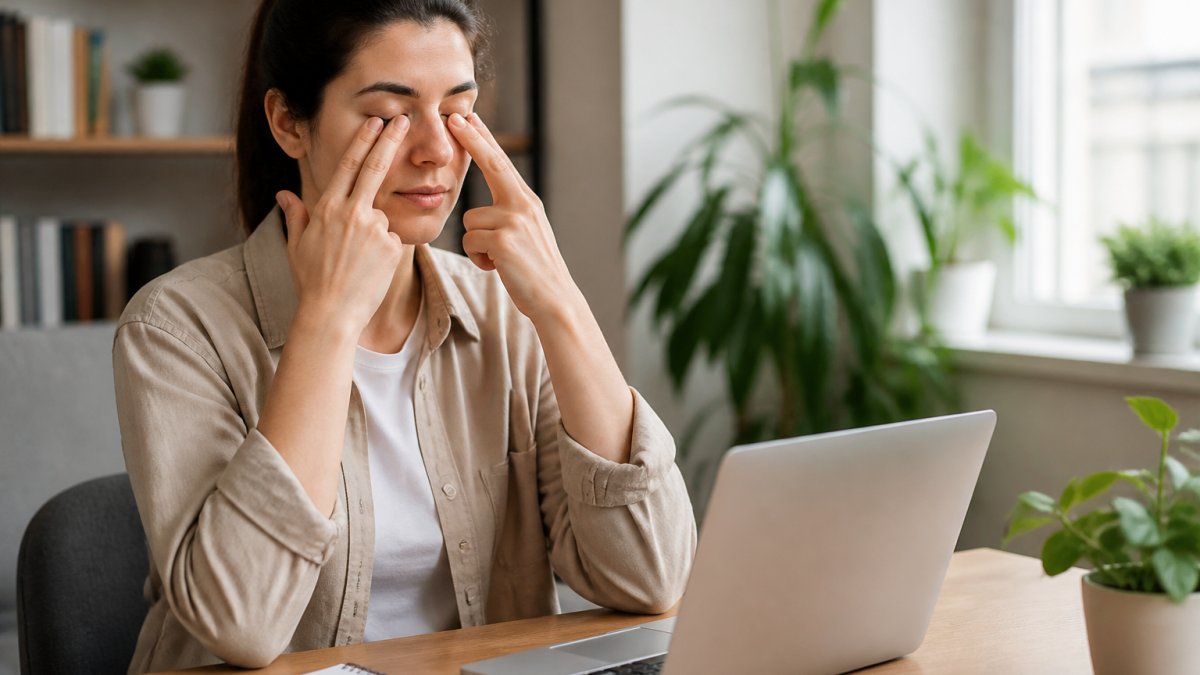
Most people assume eye strain from reading small print is an unavoidable part of aging or a busy work life. That assumption is only half right. While the focusing effort required for fine print is real, how you manage that effort determines whether you end up with headaches, blurred vision, and dry eyes or comfortable, sustained reading.
Many patients struggle with exactly this problem. The standard 20-20-20 rule helps, but it does not address the root cause: your reading setup is forcing your eyes to work harder than they need to.
Why Small Print Strains Your Eyes
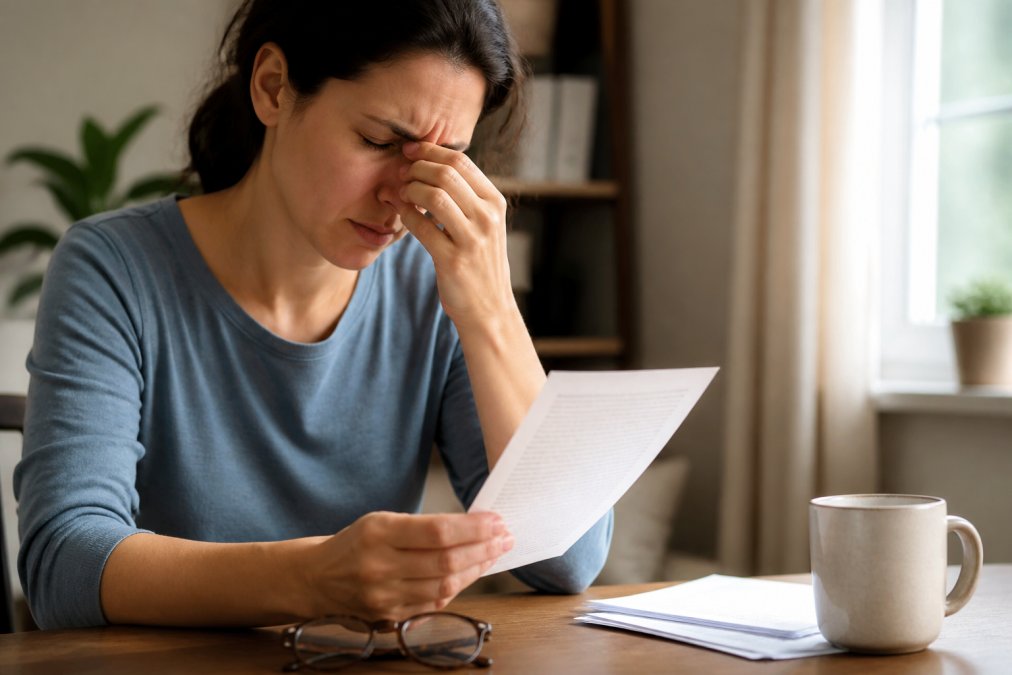
The root cause is a process called accommodation. When you read small print, the ciliary muscles inside your eyes must constantly flex to keep the focal point sharp on the retina. Fine print forces those muscles into a sustained, high-effort contraction they are not designed to maintain for long periods, leading to muscle fatigue your brain interprets as eye strain.
This strain is compounded by reduced blink rate. When you concentrate on dense text, your blinking rate drops significantly, drying out the ocular surface and adding a burning, gritty sensation on top of the muscular fatigue (peer-reviewed research). The closer you hold the material and the smaller the text, the harder both systems have to work.
Many people mistakenly believe this discomfort signals a need for stronger glasses. In practice, it often signals a mismatch between the reading task and your current visual correction, or no correction at all for intermediate distances. A comprehensive eye exam is the only reliable way to determine whether you are dealing with simple fatigue or an underlying refractive error like presbyopia.
Symptoms of Digital Eye Strain vs. Print Fatigue
Digital eye strain and print fatigue share many symptoms, but they have different triggers and require different fixes. Digital eye strain, sometimes called asthenopia, typically involves screen-related factors such as glare, poor contrast ratio, and blue light exposure. Print fatigue is driven by physical factors like small font size, insufficient ambient lighting, and a reading distance that is too short.
| Symptom | Digital Eye Strain | Print Fatigue |
|---|---|---|
| Primary trigger | Screens, glare, blue light | Small fonts, poor lighting |
| Blurred vision | Often, especially mid-day | Occurs after sustained close work |
| Dry eyes | Very common | Less common |
| Headaches | Frontal, after screen time | Around eyes, after reading |
| Best first fix | Screen settings, blue light filter | Lighting, magnification, distance |
The overlap matters because many people read on tablets or e-readers, which combines both sets of triggers. If your eyes feel tired after reading a physical book, the fix is usually lighting and distance. If they feel tired after reading on a tablet, you also need to address screen brightness and typography settings.
Step 1: Fix Your Reading Distance and Posture
The ideal reading distance is roughly 15 to 20 inches from your eyes, about the length of your forearm. Holding material closer forces your eyes into an exaggerated convergence position that multiplies strain. Holding it farther away to compensate for small print strains your ability to resolve details.
Your posture supports this distance. Sit with your back supported, both feet flat on the floor, and the reading material angled slightly toward you rather than lying flat on a table. A common mistake is reading in bed with the book flat or propped on your chest, which puts the text at an awkward angle and distance your eyes must constantly refocus to track.
The fix is simple: use a book stand or prop the material at a 45-degree angle. This keeps the text equidistant from both eyes and reduces the need for constant refocusing. For desk work, adjust your chair height so your screen or document sits slightly below eye level, which encourages a natural, relaxed gaze.
Step 2: Use the Best Lighting for Reading
The lighting advice most articles give you, "use a lamp over your shoulder", is technically correct but practically useless because it does not tell you how bright, what color, or where to aim it. For small print, the margin for error is thinner, so your lighting needs to be more precise.
Start with brightness. The Illuminating Engineering Society recommends 300 to 500 lux for reading printed materials, but most home overhead fixtures deliver only 100 to 150 lux at desk height (ies.org). A task lamp with a 60-watt equivalent LED bulb placed 12 to 15 inches from the page will put you in the 400-lux range. To verify without a light meter, use your phone's camera app: at 400 lux, a white page exposes correctly at ISO 100, f/2.8, and 1/60th of a second. If your camera demands a slower shutter speed or higher ISO, the page is darker than recommended.
Color temperature matters more than most people realize. Daylight bulbs (5000K to 6500K) increase contrast perception for fine details but also produce more glare on glossy paper. Warm bulbs (2700K to 3000K) are gentler on the eyes but reduce perceived contrast for very small text. A 4000K neutral white bulb is often recommended for reading tasks, as it balances contrast enhancement with glare reduction. Avoid using a "warm" bulb in a dim lamp: the combination of low lux and low color temperature forces your pupils to dilate, which reduces depth of field and makes small print harder to resolve.
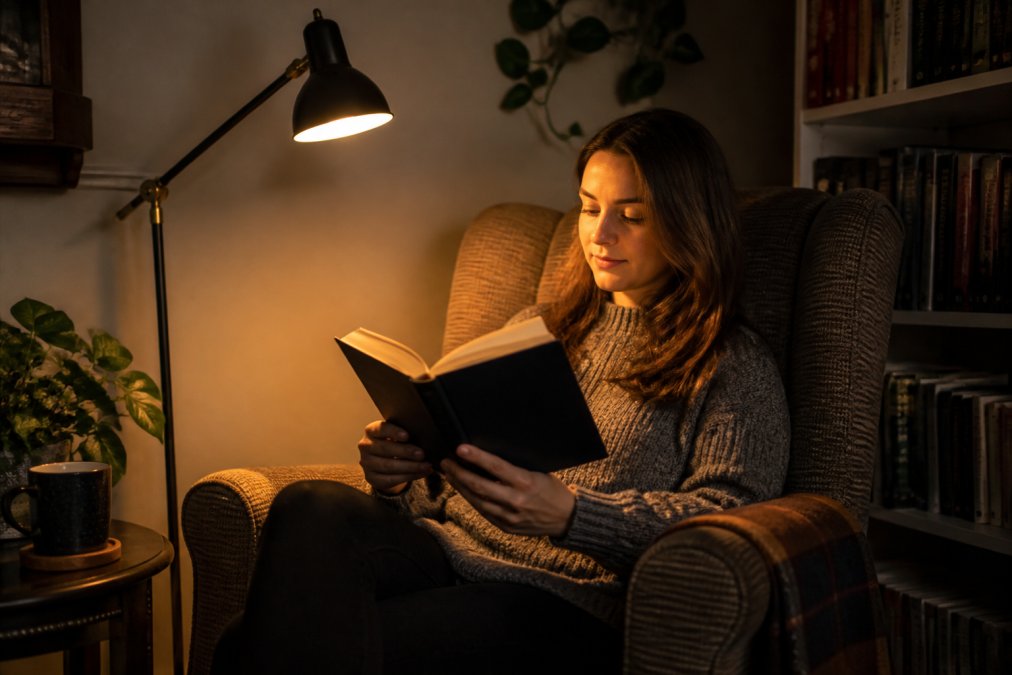
Positioning is where most home setups fail. Placing the light over your shoulder creates a shadow from your head and hand. Instead, position the lamp on the side of your dominant hand, slightly forward, so the light hits the page at a 45-degree angle.
Glare is not just about the light source, it is about the surface. Glossy paper reflects up to 4% of incident light directly back toward your eyes, creating a veiling luminance that reduces contrast. Matte paper reflects light diffusely, preserving contrast. If you are reading a paperback with glossy pages, tilt the book 10 to 15 degrees away from the light source to redirect the reflection away from your eyes.
Ambient lighting should be roughly one-third the brightness of your task light. If the page is dramatically brighter than the room, your pupils constrict and your peripheral vision becomes less sensitive, increasing the effort of tracking lines of text.
One overlooked factor is the color of the walls and ceiling in your reading space. Dark walls absorb light, forcing your task lamp to work harder and creating a higher contrast ratio between the page and the room.
Step 3: Adjust Typography on Screens and E-Readers
If you read on a screen, the typography settings are doing more to your eyes than you realize. Most devices default to text that is smaller than what is comfortable for sustained reading.
E-readers with e-ink displays offer a distinct advantage over tablets because they eliminate backlight glare. On these devices, increase the font size until the text fills the comfortable 15 to 20 inch reading distance without effort. better lighting solutions.
Adjust the contrast ratio as well. Text that is pure black on a pure white background can actually be harder to read than dark gray on a slightly off-white background. Many e-readers now offer a sepia or warm background mode that reduces glare and is gentler on the ocular surface.
Step 4: Magnification Tools and Visual Aids
When typography settings are not enough, magnification tools are the most underused solution for eye strain from reading small print. Many people resist them because they associate magnifiers with severe vision loss, but a simple magnifying bar or sheet can extend comfortable reading time dramatically.
Magnifying sheets that lie flat on the page are ideal for books and documents because they do not require you to hold a device. Handheld magnifiers work well for labels, medication bottles, and price tags. For those who read extensively, a desktop video magnifier can display text on a screen at a size that eliminates accommodation effort entirely.
The goal of these tools is not to replace your glasses but to reduce the focusing demand on your eyes. When your eyes do not have to work as hard to resolve fine details, the muscle fatigue that causes headaches and blurred vision simply does not occur.
Step 5: Eye Exercises Beyond the 20-20-20 Rule
The 20-20-20 rule is a rest break, not an exercise. It prevents fatigue from accumulating, but it does nothing to improve your eyes' ability to sustain focus on fine print. If you read small text regularly, your ciliary muscles and extraocular muscles need targeted conditioning.
Accommodative rock (also called focus flexibility training) targets the ciliary muscle, which controls the lens shape for near-to-far focusing. When you read small print, this muscle stays in a sustained contraction. Over time, it loses its ability to relax quickly, which is why text appears blurry for a few seconds after you look up from a book.
- Hold a near target (a pen with fine text, or a business card) at your typical reading distance, about 15 inches.
- Choose a distant target at least 20 feet away with fine detail, like a street sign or a clock face.
- Focus on the near target for 3 seconds, then shift to the distant target for 3 seconds. The shift should be a conscious refocus, not just a glance.
- Repeat 10 times. This is one set. Rest for 30 seconds, then complete two more sets.
The key is the speed of the refocus. If you can shift focus cleanly in under one second, your accommodative system is flexible. If it takes two or more seconds, your ciliary muscle is fatigued and needs this training.
Pencil pushups train convergence, the inward turning of both eyes that keeps a single image when reading at close range. Small print forces your eyes into a more converged position than larger text, which is why many people feel a pulling sensation between their eyes after reading fine print.
- Hold a pencil vertically at arm's length, with the eraser tip at eye level.
- Slowly bring it toward your nose, keeping the eraser as a single image. The moment it splits into two images, stop.
- Hold for 5 seconds, then push it back out to arm's length.
- Repeat 10 times. The goal is to bring the pencil closer to your nose over several weeks without the image splitting.
A common pattern is that the image splits at 6 to 8 inches from the nose for people who read small print regularly. With consistent practice, some people may find improvement.
Palming is not an exercise but a recovery technique that addresses the muscular tension that exercises create. Rub your palms together for 10 seconds to generate warmth, then cup them over your closed eyes without touching the eyelids. The warmth increases blood flow to the extraocular muscles, and the darkness eliminates the light stimulus that keeps the pupils active. Hold for 90 seconds.
Figure-eight tracking addresses the saccadic system, the rapid eye movements that jump from word to word and line to line. Small print requires more saccades per line than larger text, meaning your extraocular muscles are firing more frequently.
- Sit comfortably and imagine a large figure-eight about 6 feet in front of you.
- Trace it slowly with your eyes, without moving your head, for 30 seconds in one direction.
- Reverse direction for 30 seconds.
- Repeat twice. This improves the coordination between the two eyes during horizontal tracking, which reduces the fatigue from scanning dense lines of text.
These exercises work best as a daily routine, not an emergency response. A practical schedule is: pencil pushups in the morning, accommodative rock before your main reading session, and palming after. The measurable goal is endurance: if you can read for longer without symptoms after consistent training, the exercises may be working.
The Cost of Comprehensive Eye Exam: Is It Worth It?
The cost of comprehensive eye exam services varies widely based on location, provider, and whether you have insurance coverage. What is consistent is the value: a comprehensive exam does far more than check whether you need glasses.
For the specific problem of eye strain from reading small print, an exam determines whether your discomfort stems from an outdated prescription, an undiagnosed focusing issue, or simply poor reading habits. Guessing at the cause wastes time and money on solutions that do not address the real problem. According to American Optometric Association guidance on comprehensive eye exams, a comprehensive exam evaluates more than visual acuity, including how well your eyes work together and focus.
At Wilck Schwartz & Novak OD PC, we have served the Brooklyn area since 1964, using advanced optometric equipment to diagnose and manage ocular conditions with precision.
The adjustments covered here, from lighting and distance to typography and eye exercises, will resolve most cases of reading-related eye strain. When they do not, the cause is likely an underlying visual condition that requires professional assessment.
Frequently Asked Questions
Does reading small print cause permanent eye damage?
No. Reading small print does not cause permanent structural damage to your eyes. It leads to temporary visual fatigue and eye strain because the ciliary muscles inside your eye work harder to maintain focus at a close distance. This strain can cause headaches, blurred vision, and dry eyes, but these symptoms typically resolve with rest. Persistent discomfort is a signal that your reading habits or prescription need adjustment, not a sign of permanent harm.
Why am I struggling to read small print even with my glasses?
If small print is still difficult to read despite wearing glasses, your prescription may be outdated, or you could be developing presbyopia, the age-related loss of near focusing ability. It might also indicate your reading distance is too close or your lighting is poor. An annual eye exam checks visual acuity and evaluates how well your eyes change focus, which helps identify the specific cause of your difficulty.
How does the 20-20-20 rule help with reading fatigue?
The 20-20-20 rule gives your eye muscles a scheduled break from sustained close-up work. When you focus on something 20 feet away for 20 seconds, your ciliary muscles relax completely. This pause reduces eye muscle tension and helps restore a normal blinking rate, which fights the dry eyes often associated with prolonged reading. It is most effective when paired with proper reading distance and good ambient lighting.
What is the difference between digital eye strain and regular reading fatigue?
Digital eye strain includes symptoms like eye fatigue and headaches, but it often adds specific issues tied to screens: a dramatically reduced blink rate leading to dry eyes, and glare from the display. Regular reading fatigue from paper is primarily caused by muscle fatigue from sustained near focus. Both share symptoms like blurred vision, but screen-related strain frequently involves more ocular surface dryness, making lubricating eye drops more relevant for digital tasks.
Eye strain from reading small print does not have to be a daily struggle. The right combination of distance, lighting, typography, and eye exercises can restore comfortable reading, but persistent symptoms deserve a professional evaluation. At Wilck Schwartz & Novak OD PC, we combine advanced diagnostic technology with a warm, thorough approach to identify the root cause of your visual fatigue. Schedule an appointment with us and take the first step toward reading without discomfort.